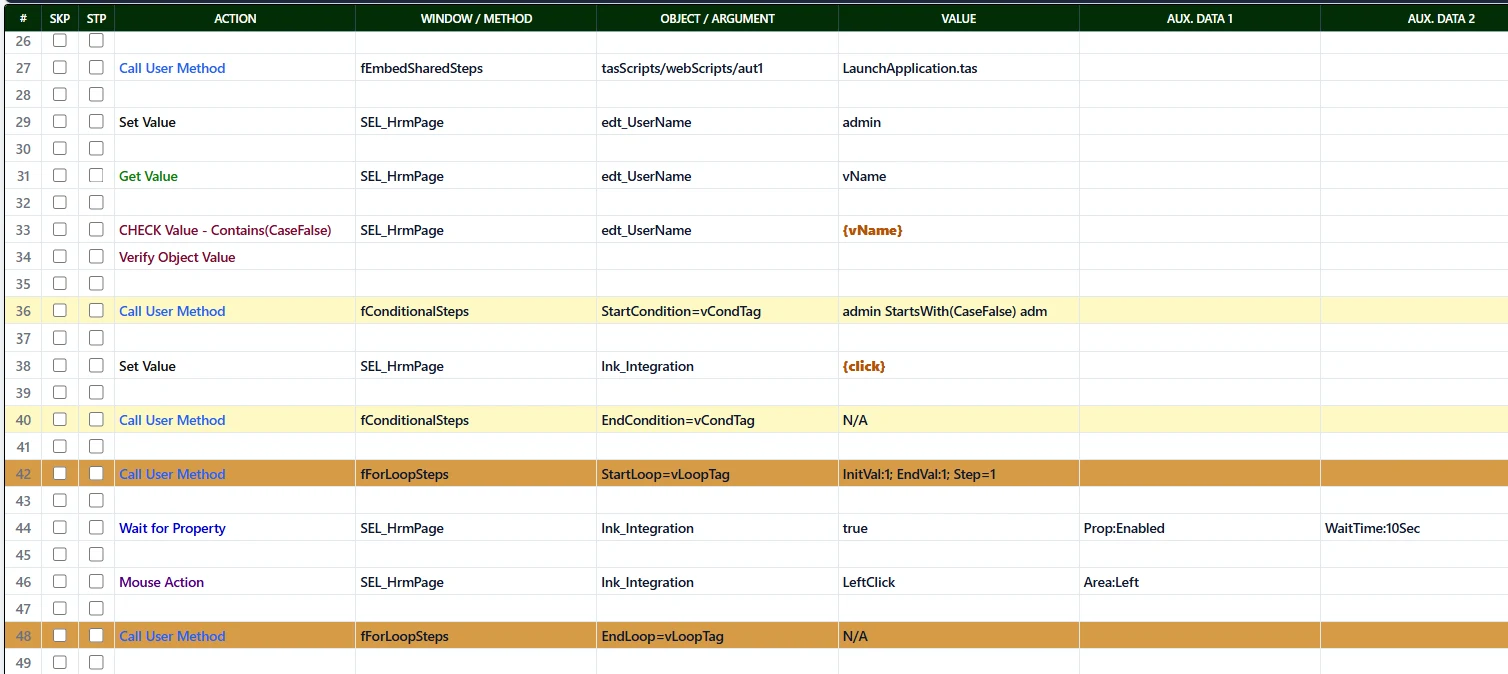
WHAT YOU SEEWrite readable tests in a familiar, structured format.
TA STUDIO AUTOMATION ENGINE
POWERED BYApplication abstraction, reusable components and runtime automation.
Object ModelAutomatic application abstraction
Reusable MethodsExtended behaviour
Structural ValidationChecks before execution
Data-driven ExecutionExternalised scenarios
Execution EngineRuntime orchestration
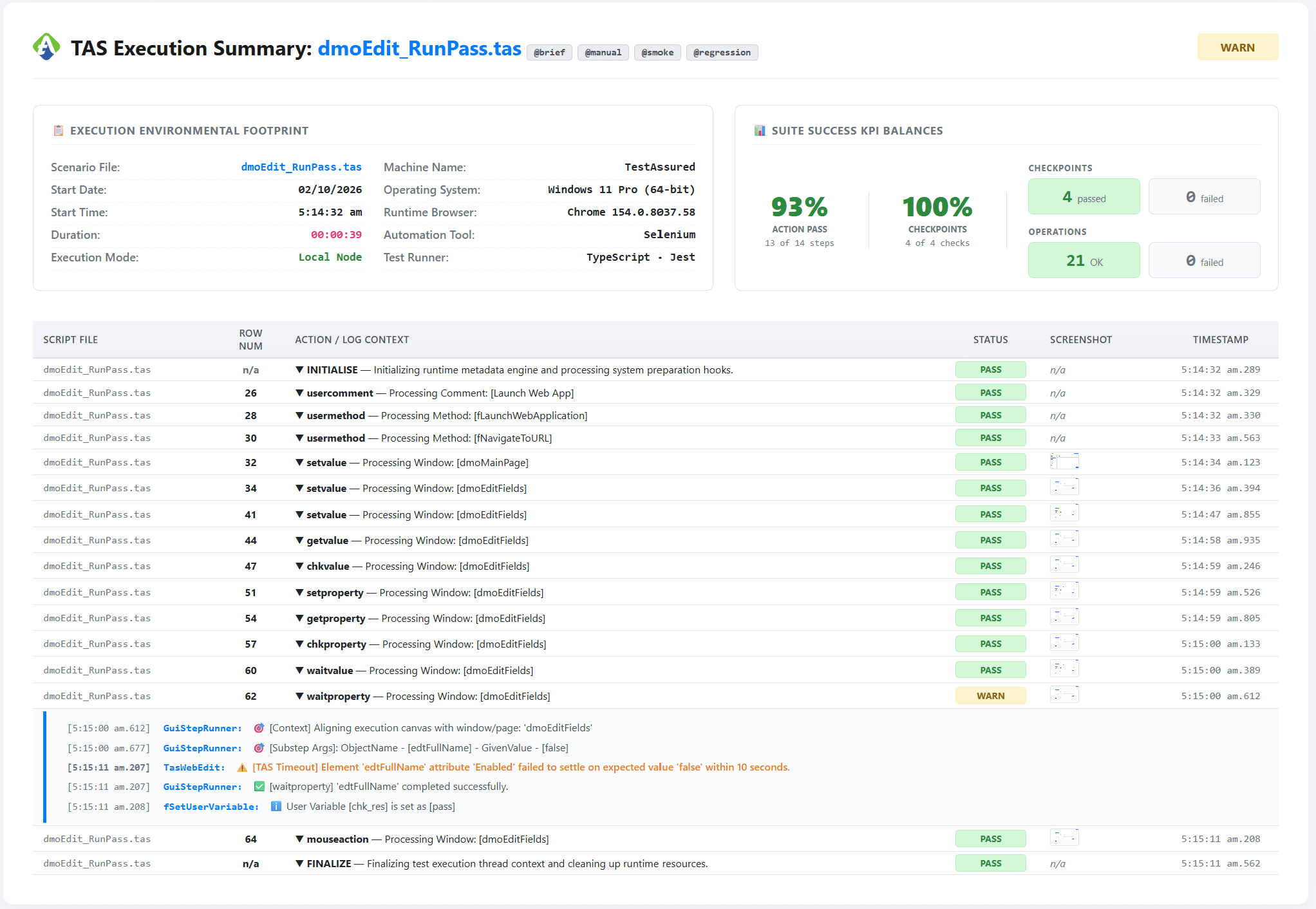
Diagnostics & EvidenceResults with context
One test, end to end
Follow a TA STUDIO test from authoring to evidence.
AUTHORING ABSTRACTION
Select. Define intent. Paste steps.
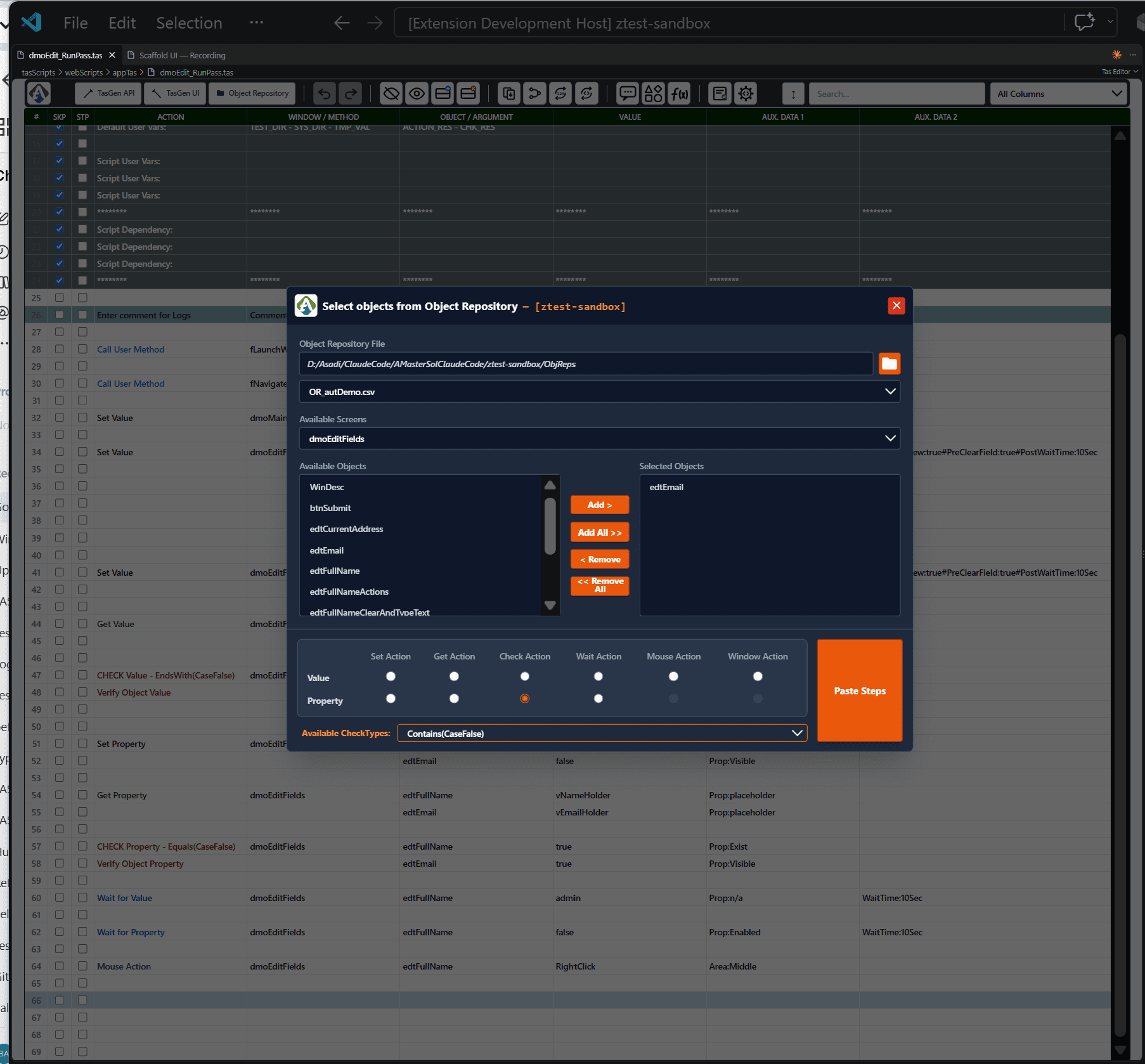
Common UI steps can be composed by selecting repository objects and actions instead of manually constructing every TA STUDIO row or automation call.
Two authoring paths
Use abstraction where it helps. Extend it where you need to.
Standard application interactions and specialised behaviour converge into the same readable TA STUDIO test.
Standard UI automation
UI Step Builder
Select one or more repository objects, choose Set / Get / Check / Wait / Mouse / Window behaviour, then paste the generated steps.
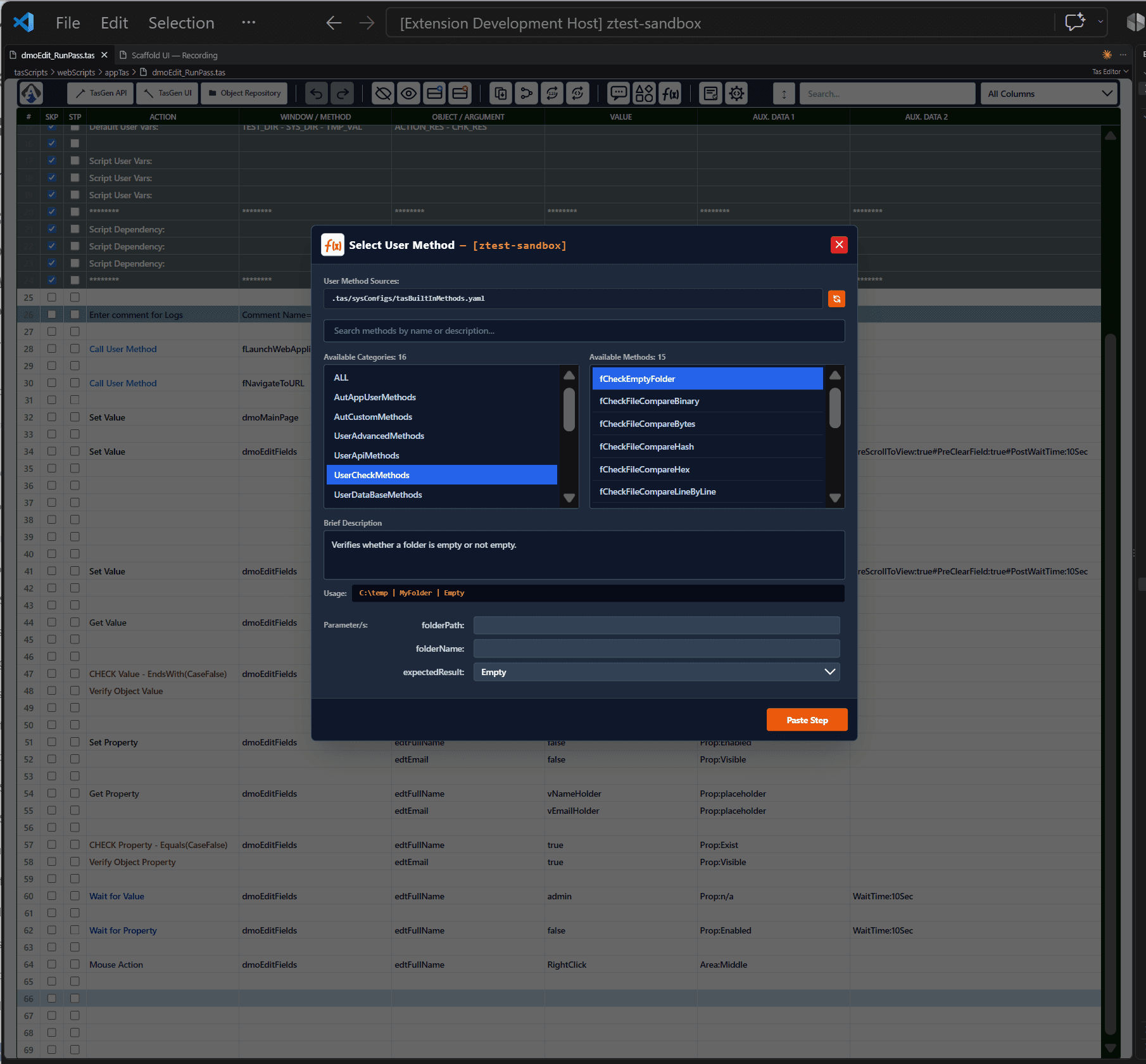
Extended capability
User Method Builder
Choose a method category and method, see its description and usage, provide parameters and paste the step. Specialised behaviour does not require turning every need into another standard action.
Readable ≠ simplistic
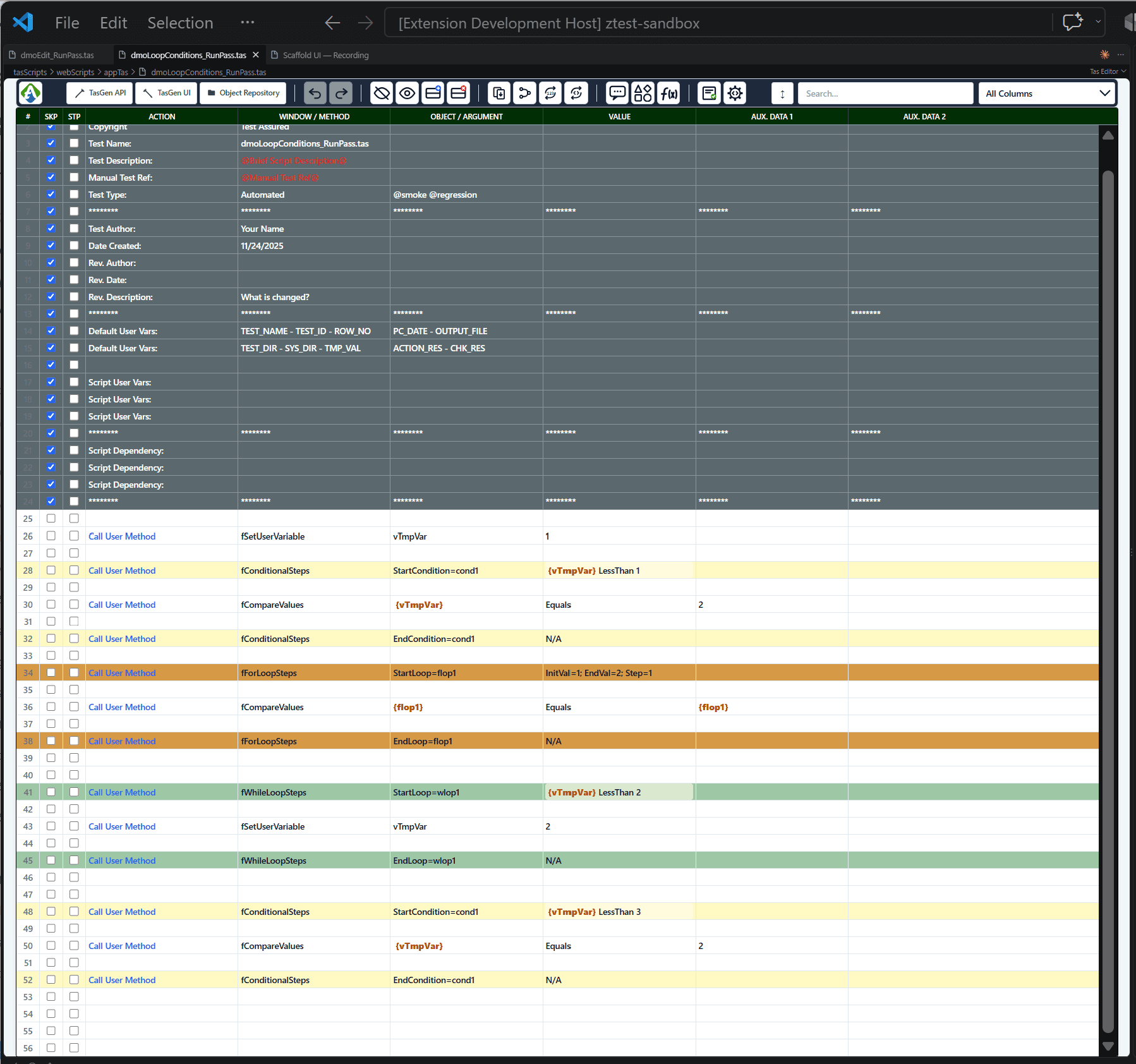
Logic and validation are part of the platform.
TA STUDIO scenarios can express execution logic while the editor validates structural problems before runtime.
Select a point to see it in TA STUDIO.
Example
Generate without locking the tester in
TA STUDIO generates automation assets and editable data sets.
Generation is a starting point, not a black box. UI/E2E and API generation are shown side-by-side, while scenarios remain externalised so teams can add, remove or change cases without rebuilding the workflow.
UI / E2E GENERATION
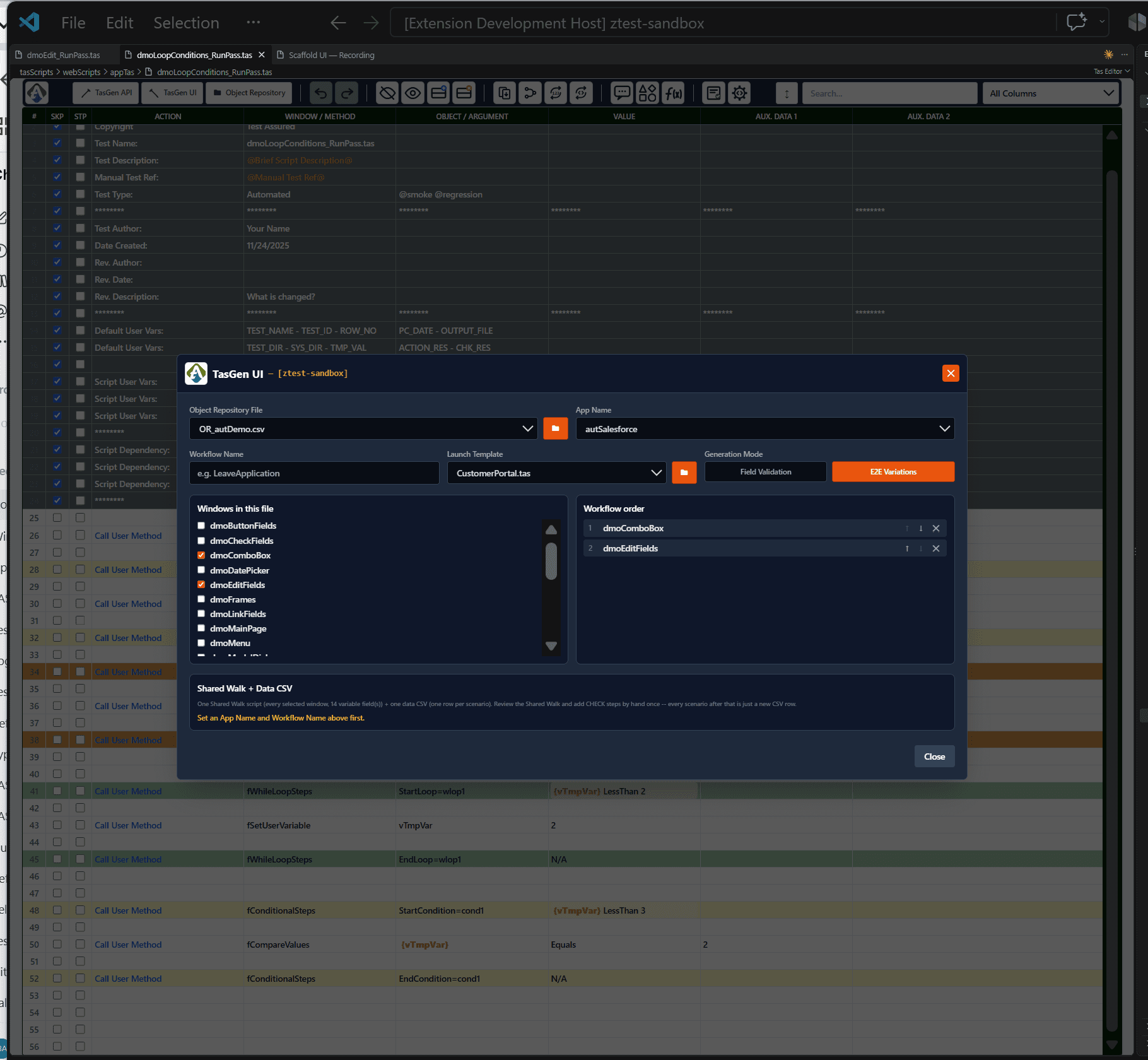
Generate application workflows and field-validation scenarios.
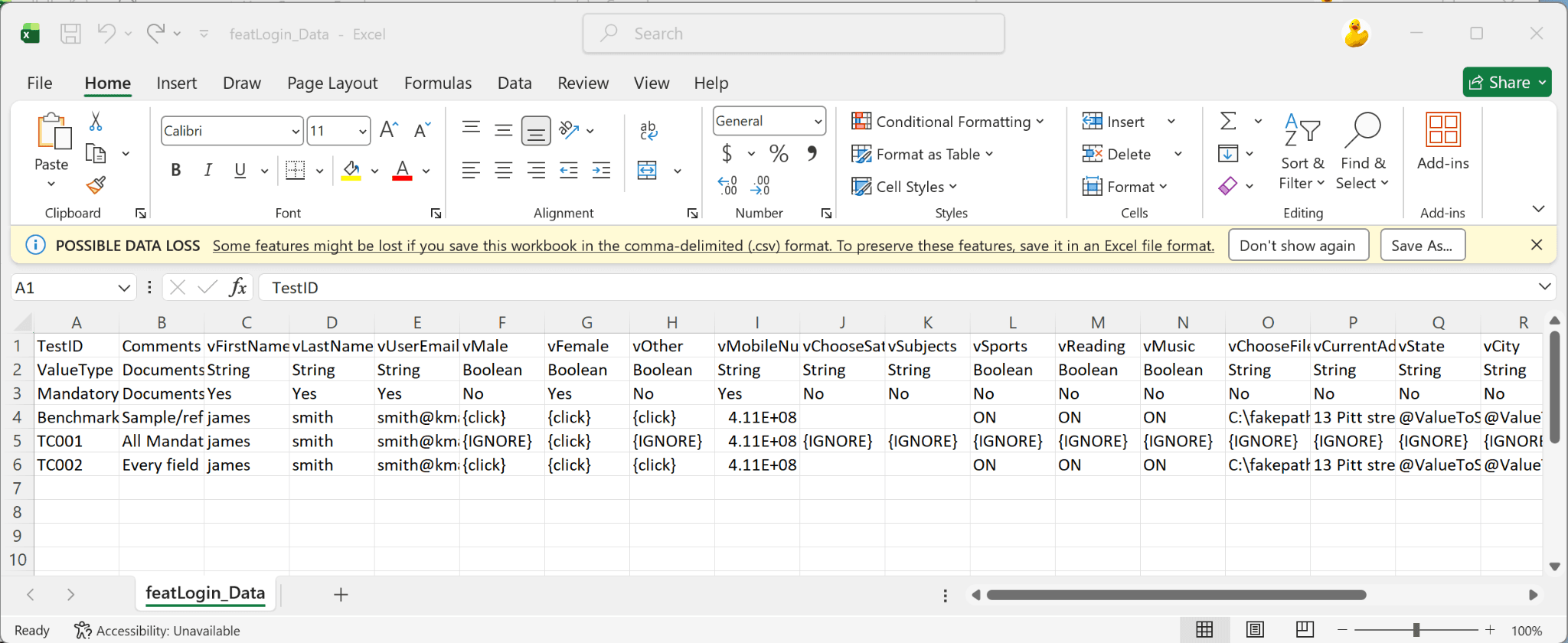
Select application screens and workflow order, then generate reusable automation assets together with editable scenario data.
Automation workflowGenerated readable TA STUDIO workflow
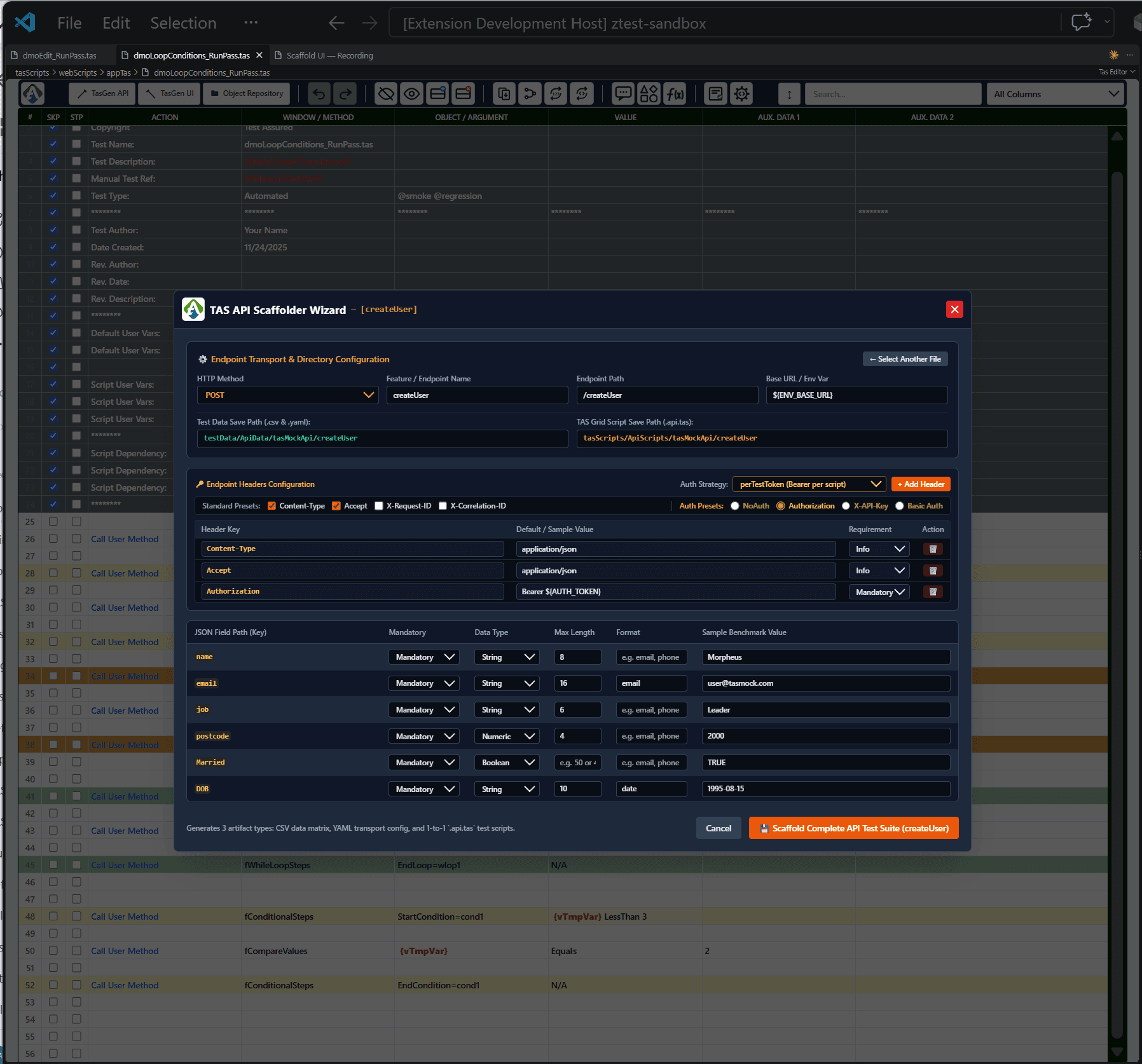
Generate API scenarios from endpoint and payload metadata.
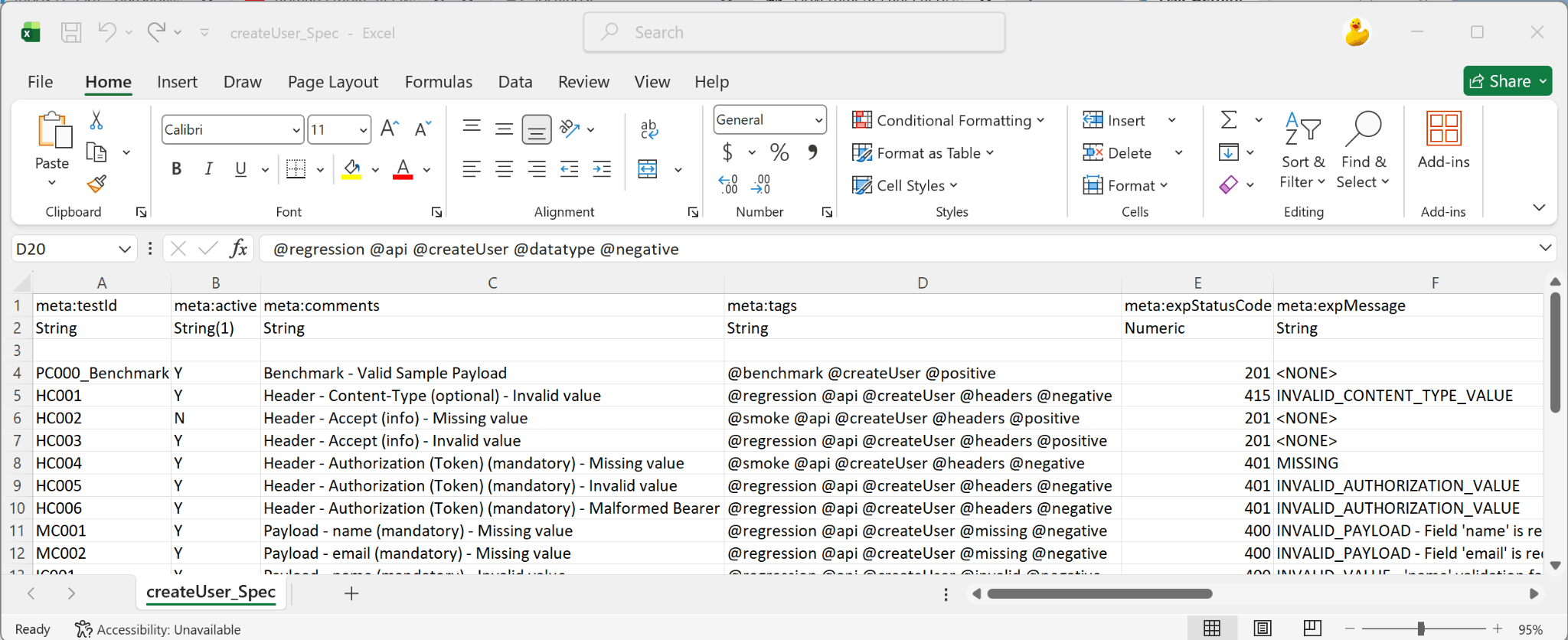
Define endpoint transport, authentication, headers and payload metadata, then scaffold automation assets and a scenario matrix covering positive and negative cases.
Automation logicGenerated TA STUDIO API workflow
Scenario datasetEditable CSV test scenarios
Endpoint & payload modelTransport, headers, auth and payload metadata
What sits below the readable test
The actions are the interface — not the whole architecture.
The readable TA STUDIO layer connects authoring, runtime automation, the target system and execution evidence, with supporting capabilities around the flow.
FROM TEST INTENT TO EXECUTION EVIDENCE
Test IntentTA STUDIO AuthoringTA STUDIO EngineAutomation RuntimeApplication / APIEvidence